Go back
Driving Impact as the Sole Designer
SUMMARY OF ACHIEVEMENTS
I designed and delivered a consolidated summary view for Pandora that streamlined users workflow and cut repetitive navigation by 35%. The solution brought essential information into a single, focused interface, enabling analysts to work faster and with better context.
To get there, I identified critical pain points, defined target groups and personas, and mapped their needs to guide design decisions. I explored the required features, designed the end-to-end flow, and applied Jakob’s Law to ensure familiar patterns aligned with existing tools used by analysts
SUMMARY OF ACHIEVEMENTS
During my time as the sole Product designer, I successfully managed multiple concurrent projects while maintaining focus and quality across the company.
I developed a sustainable workload management framework and ensured priorities stayed clear. In parallel, I introduced and refined design processes from scratch, improving efficiency across the organization.
My work delivered high-impact solutions that addressed immediate business needs while laying the foundation for long-term improvements. Along the way, I built credibility and trust with stakeholders by clearly communicating priorities and managing expectations.

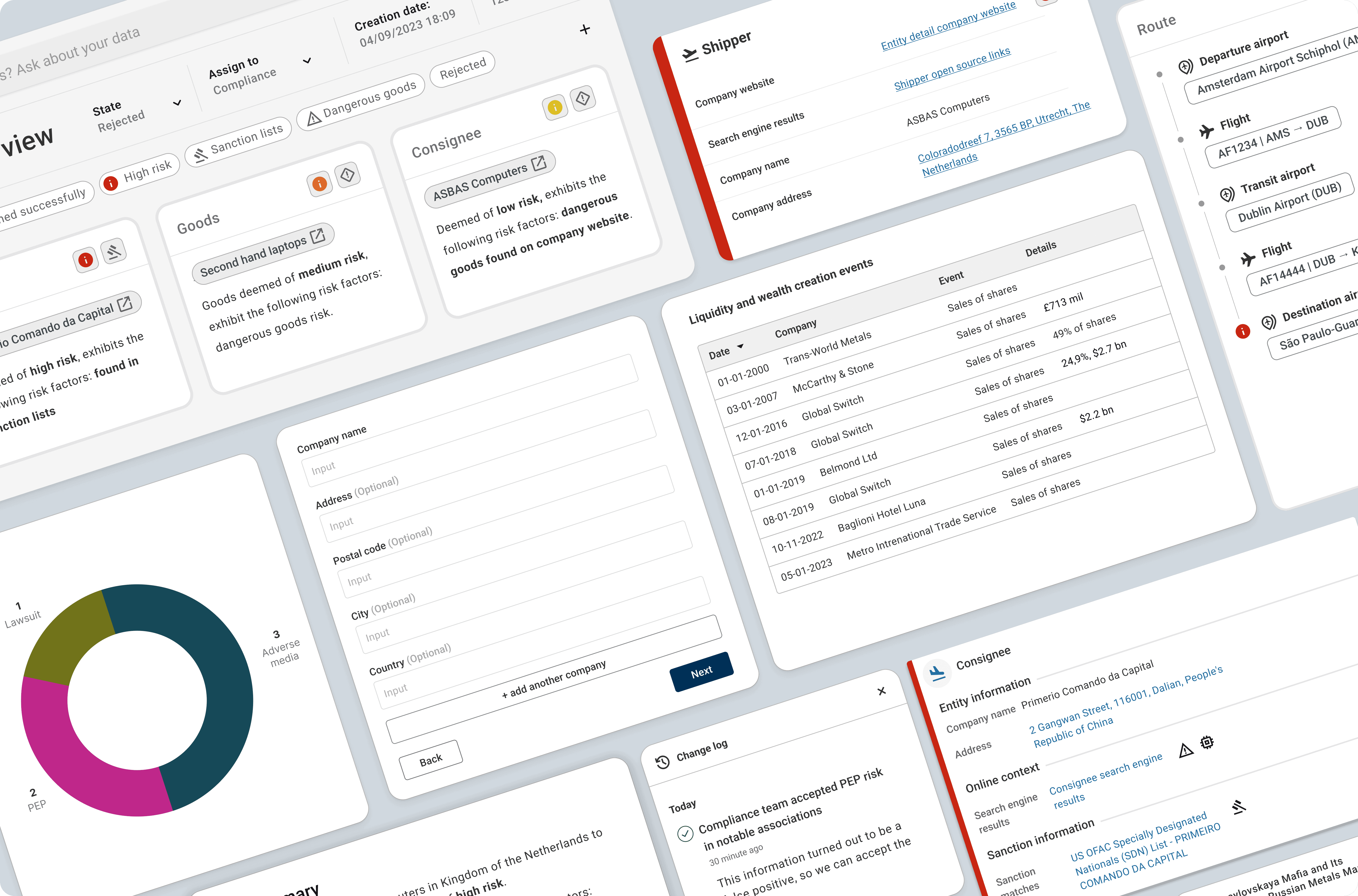
Pandora Intelligence is a data analysis platform that uses AI to help organizations detect patterns, assess risks, and make informed decisions. It turns complex, fragmented data into clear insights, supporting users in high-stakes environments like security, finance, and the cargo industry.
0.1 Overview
This case study highlights my work as the sole Product designer at a SaaS startup. It showcases how I managed multiple projects simultaneously, developed tools and processes, and applied design methods to solve real-world challenges.
Solving core problems isn’t just about design; it starts with effective resource allocation. With my product design perspective, I identified process improvements that accelerated delivery and increased impact across the organization.
Managing Multiple Projects Alone
0.2 The challange
Challenge
As the only UX designer in the company, I was responsible for multiple parallel projects:
Enhancing existing solutions
Managing core platform components
Establishing design processes from scratch
Each project had distinct stakeholders, constraints, and deadlines. The challenge wasn’t just delivering high-quality work; it was doing so while introducing the organization to the value of the product design function.
Solution
To maintain focus and avoid burnout, I adapted the 70-20-10 rule into a practical workload management framework:
70% on top priority work — enhancing the cargo solution
20% on secondary work — managing platform components and improving other solutions
10% on long-term improvements — building design processes
This framework was a guiding ratio rather than a rigid schedule, ensuring focus on critical work while still progressing on secondary and long-term goals.
Adapting to Shifting Priorities
0.3 Strategy
Weekly Breakdown
I structured my days around 90- to 120-minute deep work sessions, reserving at least two blocks for high-priority tasks while keeping the rest of the day flexible.
Monday–Thursday:
4–6 hours: Deep work on high-priority tasks
2 hours: Secondary work
1 hour: Process improvements
Friday:
Morning: Analyze effectiveness of design processes
Afternoon: Plan for the next week and tie up loose ends
Dealing with Reality
No week ever went exactly as planned. I handled curveballs by:
Urgent Requests: Allocated buffer time for tasks that couldn’t wait
Shifting Priorities: Adjusted the 70-20-10 split when projects demanded more attention, keeping stakeholders informed
Energy Levels: Scheduled high-energy, creative work during peak focus times, and less demanding tasks (e.g., documentation) during low-energy periods
This structured-but-flexible system allowed me to maintain focus while adapting to evolving demands.
Consistency, Trust, and Process Improvements
Implementing this approach enabled me to:
Consistently deliver high-priority projects without stalling secondary work
Build trust with stakeholders through clear communication of shifting priorities
Introduce and improve design processes while still addressing immediate business needs
Maintain focus and avoid burnout despite managing company-wide UX/UI responsibilities
By balancing structure with adaptability, I kept all projects moving forward without losing sight of long-term improvements.

0.4 Closing
The final call
This journey tested my adaptability and focus, encouraging me to grow in ways I had not expected. Here are some standout moments.
Winning Moments
Balancing Multiple Priorities Successfully: Applying the 70-20-10 framework allowed me to consistently deliver on high-priority projects while making meaningful progress on secondary work and long-term process improvements. Seeing stakeholders rely on my design outputs and processes was a clear indicator of success.
Building Trust Through Communication: Regular updates and transparency about shifting priorities strengthened my relationship with stakeholders. When they saw that I could adapt without compromising quality, it reinforced the value of the product design role.
Introducing Design Processes: Establishing workflows, templates, and design standards for the first time in the company created visible improvements in efficiency and consistency. Teams began relying on these processes to guide their own work, a direct measure of impact.
Lessons Learned
Communication is as Critical as Design: Delivering great UX isn’t just about screens or flows, it’s about ensuring stakeholders understand priorities, progress, and rationale behind decisions.
Energy Management Matters: Scheduling high-focus work during peak energy hours and low-demand tasks during slower periods prevents burnout and maintains consistent output.
Small Improvements Compound: Incremental process changes can create a big impact over time, even while handling day-to-day product challenges.
Show don't tell: Instead of explaining the value of design, I brought people into the process—co-creating workflows, reviewing prototypes, and taking notes during user tests. Seeing them interact with users’ problems firsthand made the impact of design methods visible.